Set your strategy
Describe your services, target customers, regions, approved sources, and scoring priorities for this workspace.
AgentBin brings a workspace strategy, sourced research, explainable scores, private audits, and editable outreach drafts together. It prepares a next step; your team decides what happens.
Teams that want a more deliberate way to research selected prospects and prepare follow-up.
WHAT TO EXPECTExternal prospect discovery and autonomous outreach are not active. AgentBin does not present unlinked revenue or speculative ROI as verified results.
Work stays connected to the records your team already uses in LeadBin.
Describe your services, target customers, regions, approved sources, and scoring priorities for this workspace.
Analyze a saved company website when relevant. See the source, retrieval time, findings, and reasons behind a score.
Edit a private audit or outreach draft, then confirm any task or message through the existing LeadBin controls.
This is a real LeadBin app screen with sample workspace data. The view and available actions depend on your workspace and permissions.
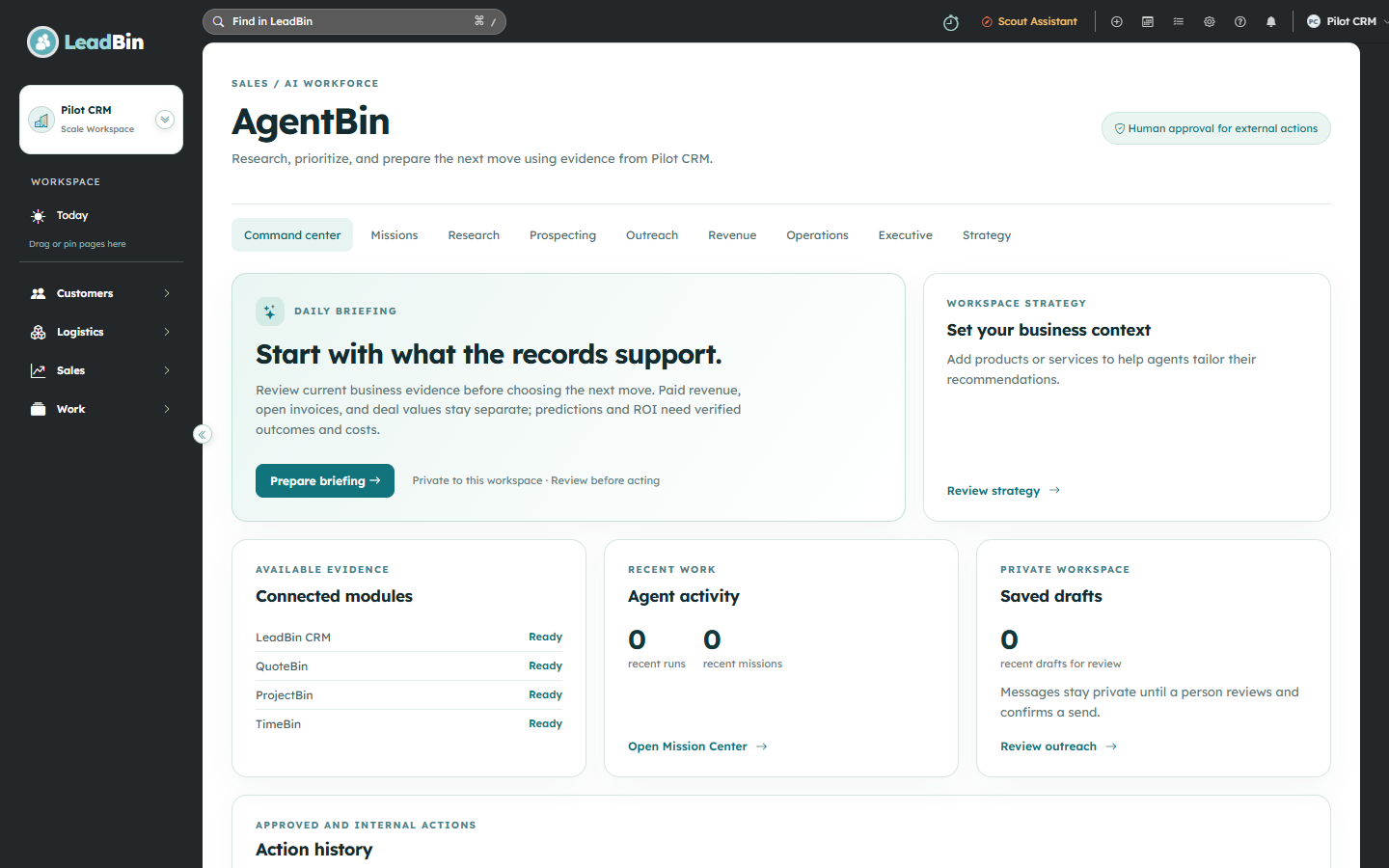
Research, prospecting, outreach, revenue, operations, and executive views organize supported missions.
Unverified observations stay preliminary; missing modules and source data are called out.
External messages and public links do not go out automatically in this pilot.
Each part connects to a specific record or a deliberate team decision.
Set the industry, services, customers, service area, approved sources, and scoring priorities for each workspace.
Runs retain source URLs and retrieval times so a reviewer can trace a finding back to the observed page.
An audit or outreach draft can be edited before a person decides whether to create a task or send through an authorized mailbox.
The screen shown reflects a controlled pilot. Available missions depend on enabled modules, permission, and saved evidence.
This capability has a pilot gate and is not generally available yet.
Explore how-to guidesNo. Its strategy is set per workspace. Website analysis is used only for missions that need it; other missions use the available CRM and enabled extension data.
No. A person reviews and confirms each external message using LeadBin’s existing mailbox and consent controls.
Start a workspace and enable the extensions available to your team.