Prepare the classroom
A school approves its pilot, seat arrangement, privacy terms, and teacher-led lesson plan.
EducationBin provides entrepreneurship lessons, fictional starter records, assignments, and teacher progress tools in a school-approved workspace.
Texas high-school CTE teachers and approved school pilot teams.
WHAT TO EXPECTEducationBin is not generally available for student accounts. An extension switch alone does not grant student access or establish COPPA or FERPA compliance.
Work stays connected to the records your team already uses in LeadBin.
A school approves its pilot, seat arrangement, privacy terms, and teacher-led lesson plan.
Students practice customer, sales, and operations workflows against simulated business data.
Teachers use lesson materials, worksheets, and progress views to guide and assess the work.
This is a real LeadBin app screen with sample workspace data. The view and available actions depend on your workspace and permissions.
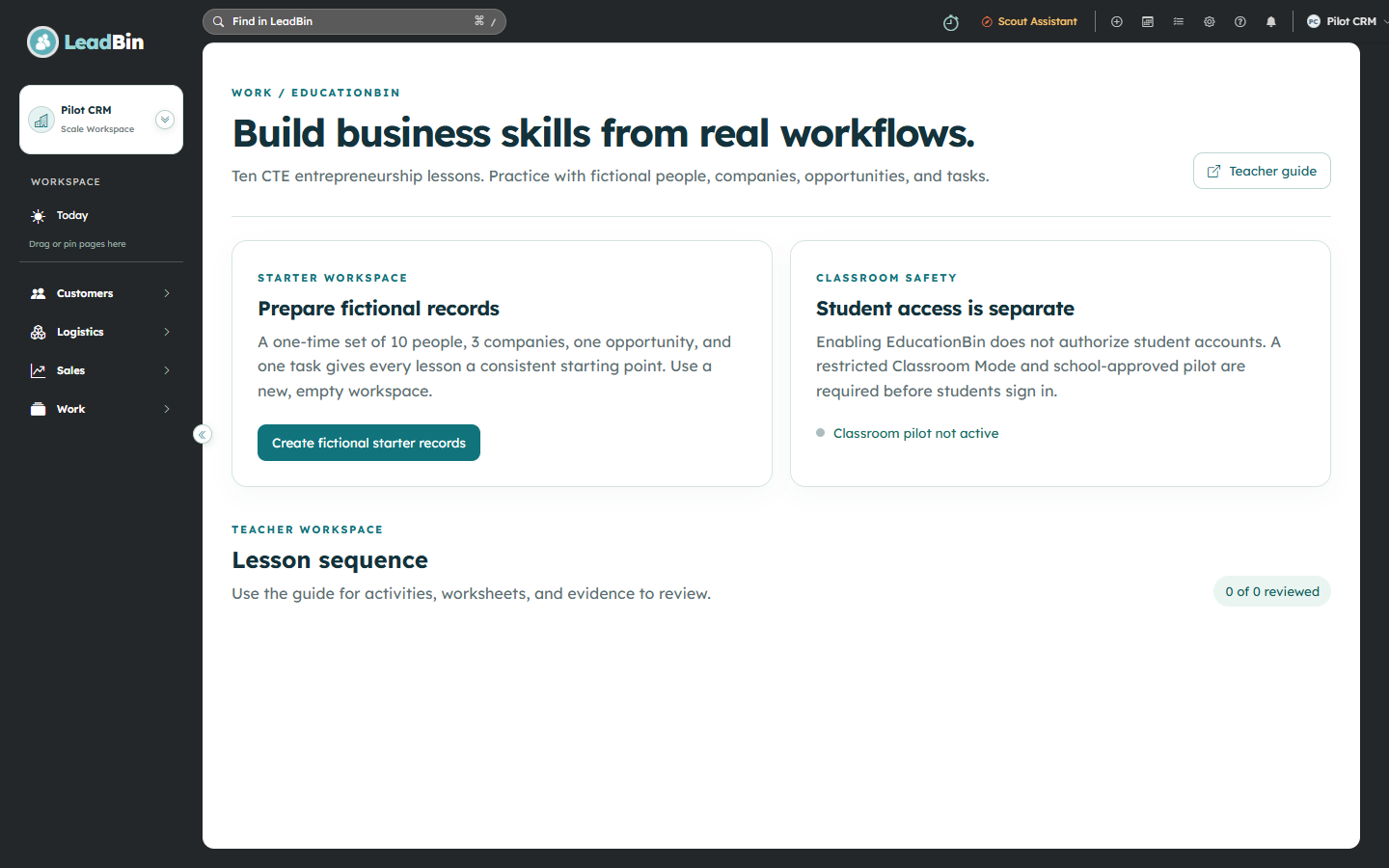
A guided introduction to practical entrepreneurship workflows.
Classroom Mode is a protected workspace mode with server-enforced student restrictions.
A real school store or sponsor workflow belongs in a separately approved teacher context.
Each part connects to a specific record or a deliberate team decision.
Students can practice with example customers and business records rather than importing real student or customer information.
Ten entrepreneurship lessons connect worksheets and assignments to practical CRM workflows.
A teacher can review completed exercises and guide the next step in an approved school workspace.
Classroom Mode is a separate server-enforced workspace control; turning the extension on does not bypass it.
This capability has a pilot gate and is not generally available yet.
Explore educational resourcesThe materials and controls are in a controlled pilot. Real student access needs school authorization, educator review, and privacy approval.
Restricted student actions are enforced within LeadBin. The app cannot block a student’s general internet access outside LeadBin.
Start a workspace and enable the extensions available to your team.