Start a project
Link a project to its customer and set owners, dates, milestones, and budget.
ProjectBin organizes projects, milestones, tasks, dependencies, budgets, and updates alongside the customer records your team already uses.
Small operations teams coordinating work across people, dates, and customer commitments.
WHAT TO EXPECTProject health is an explainable operational signal, not a guaranteed prediction of delivery or profit.
Work stays connected to the records your team already uses in LeadBin.
Link a project to its customer and set owners, dates, milestones, and budget.
Use shared tasks, dependencies, comments, and activity history to keep the next step clear.
See explainable status and risk factors; a manager can record a reasoned override.
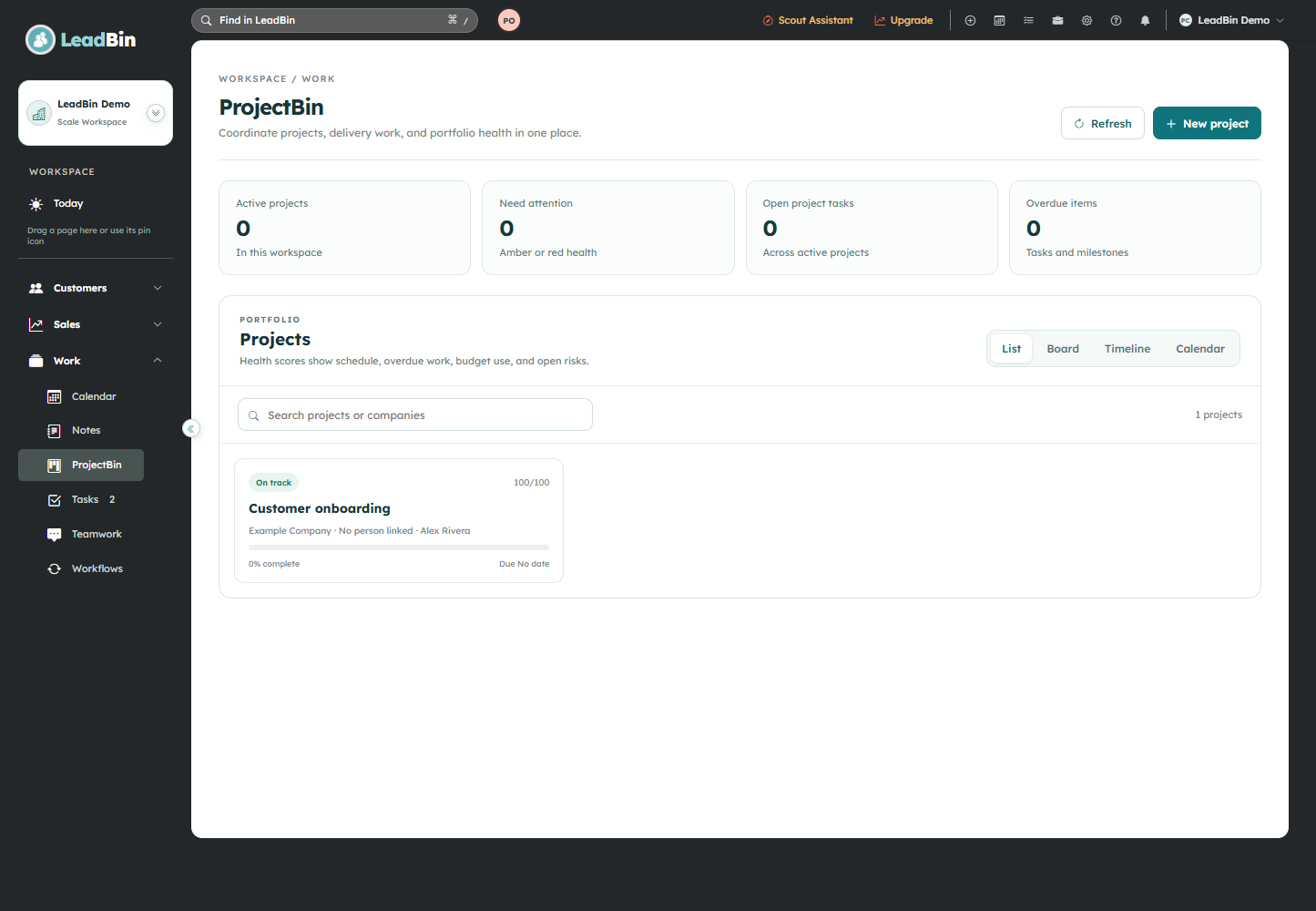
This is a real LeadBin app screen with sample workspace data. The view and available actions depend on your workspace and permissions.
Projects can connect to Companies, People, Opportunities, and Tasks.
Use the list, board, timeline, calendar, and portfolio views for different kinds of review.
Track effort against projects when TimeBin is also enabled.
Each part connects to a specific record or a deliberate team decision.
Connect a customer, owner, dates, budget, milestones, and tasks to one project.
Switch between list, board, timeline, and calendar views as the team’s planning question changes.
See the factors behind a project health signal and a recorded manager override.
TimeBin entries can connect to the same project without changing ProjectBin’s role as the project record.
Owners and admins manage extensions for each workspace.
Explore how-to guidesNo. ProjectBin manages project work independently. Enabling TimeBin adds project-linked time tracking.
No. Existing projects, tasks, and history remain available for review.
Start a workspace and enable the extensions available to your team.